Every instance.
Every mod.
Under control.
Arcane Launcher manages your Minecraft instances, mods, and versions the way a launcher should — real compatibility checks, safe upgrades and downgrades, and nothing left to guesswork.
Coming soon — the first release hasn't shipped yet.
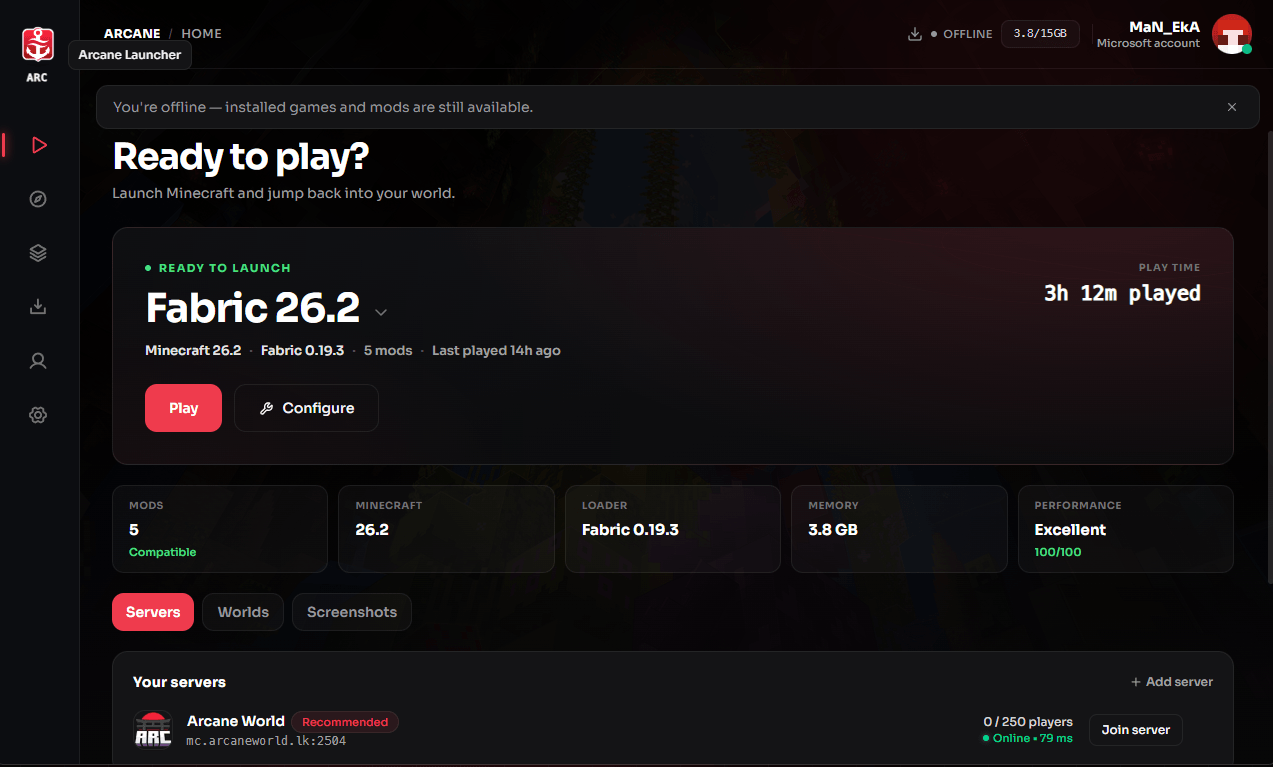
Why choose Arcane Launcher?
Real compatibility checks
Arcane Instance Evolution scans every installed mod against the version you're moving to — before anything changes — across every major loader.

Faster installs
Libraries and assets download in parallel instead of one at a time.
24×
Import from anywhere
Bring instances over — mods, worlds, and configs come along as-is.
Arcane Smart Launch
A real pre-flight score before every launch — Java, RAM, disk space, mod conflicts.
92/100
Safe upgrades & downgrades
Every version change takes an automatic snapshot first, so a bad upgrade is one click to undo.
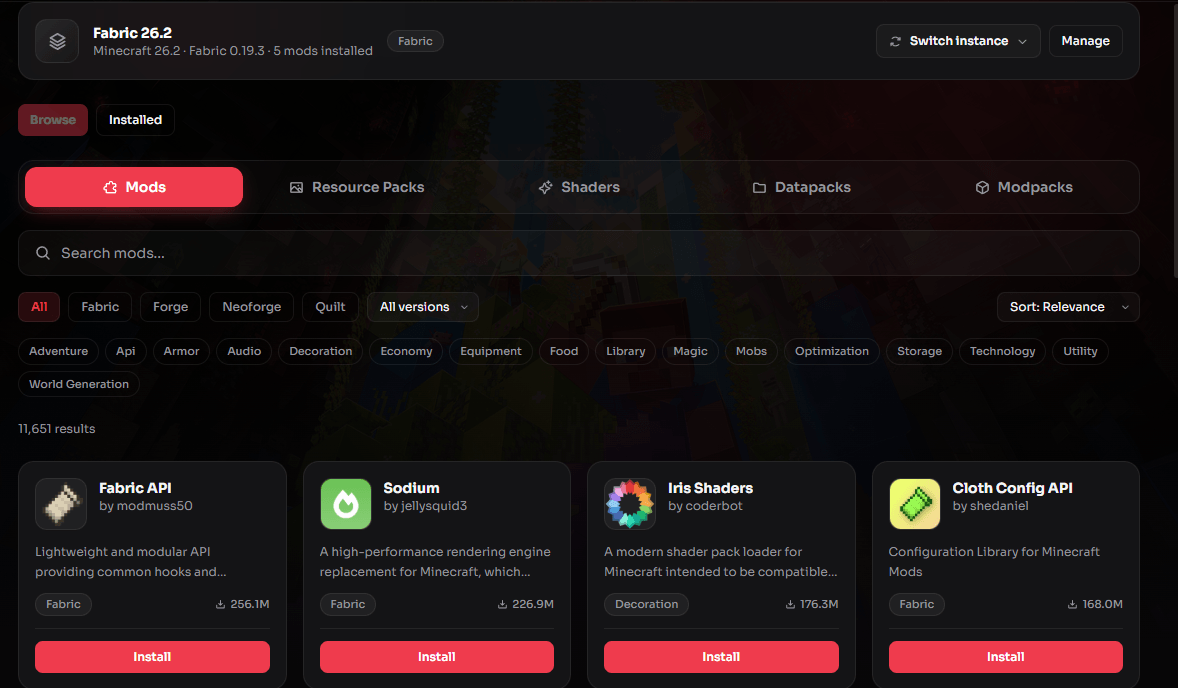
Thousands of mods, one search away
Browse and install straight from Modrinth without leaving the launcher — filter by loader, category, and Minecraft version, then hit install.
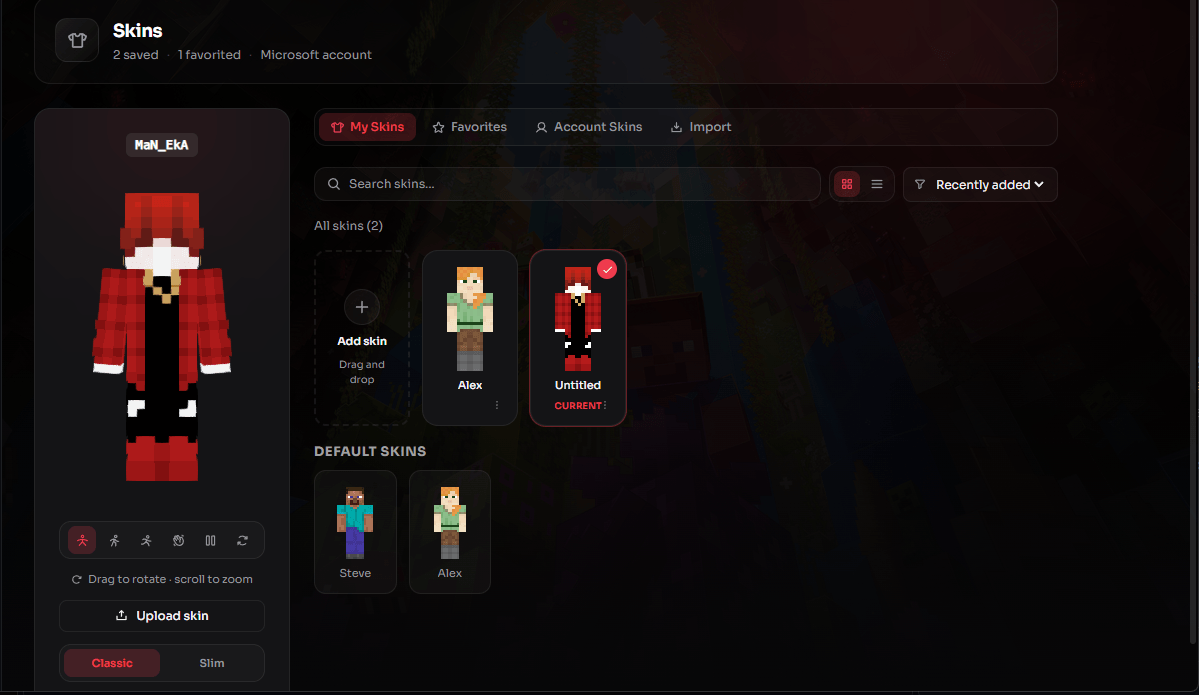
Your skin, your way
Upload a PNG, save and favorite your go-tos, and preview every skin on a real 3D model before you switch — drag to rotate, scroll to zoom.
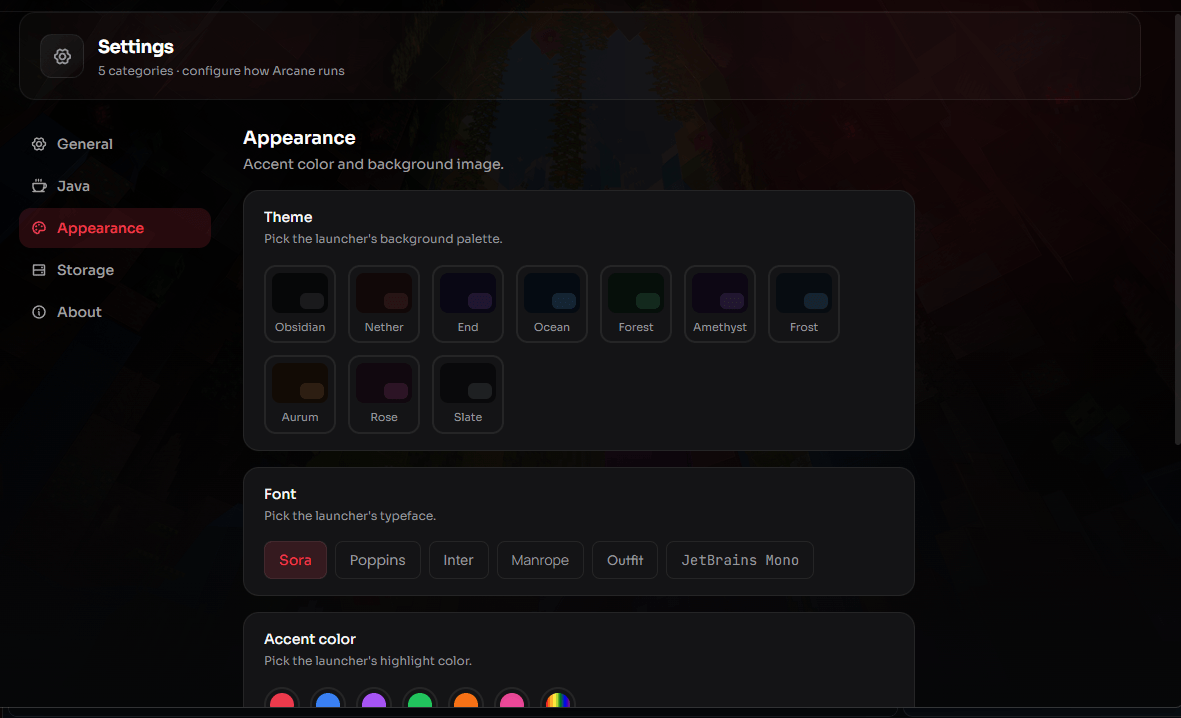
Make it yours
Nine background palettes, six fonts, and a custom accent color — the launcher's whole look, tuned to your taste.
Everything else, built in
Full skin & cape studio
A real 3D viewer with idle, walk, run, and wave poses. Import by username, by direct link, or drag a PNG in.
One-click storage cleanup
Scans old version caches, logs, and backups with a category breakdown — review exactly what's selected before anything is deleted.
Microsoft & offline accounts
Sign in with Microsoft or play offline, and switch between multiple saved accounts in a click.
Mod profiles & load order
Save mod profile setups per instance and reorder resource pack overlays without touching a config file.
Modpack update checks
Instances installed from a modpack are checked for new versions automatically — update in one click and see exactly which mods were added or changed.
Groups, favorites & duplicates
Sort instances into collapsible groups, pin favorites to the top, or duplicate one without re-downloading shared libraries.
Personalized theme
Pick an accent color, font, and layout preset so the launcher looks like yours, not a default install.
Discord Ask to Join
Accept or decline join requests from inside the launcher — accepted invites auto-suggest the matching instance to launch and join.
Self-updating
Checks for new launcher versions, downloads and installs them in the background, then restarts when you're ready.
Worlds, servers & screenshots
Every instance keeps its own worlds, saved servers, and screenshot gallery, all one click away from the launch button.
Built native, not Electron
A Tauri app under the hood — small install size, low idle memory, and a launcher that opens instantly.
Live download queue
Pause, resume, or cancel any download, with live speed, ETA, and a combined throughput readout while several run at once.
Console, history & recovery
A live launch console per instance, a full version-change history, and one-click restore if a migration is ever interrupted.